State in Rust
A signal is a piece of reactive state that tracks its dependants and notifies them when its value changes. Event handlers update signals with ordinary Rust closures.
Build GPU-rendered interfaces with Rust, component templates and scoped CSS. Vapors targets desktop, Android, iOS and WebAssembly apps, with reactive state and Svelte-inspired single-file components.
Desktop and browser demos run today. Native mobile apps and a shared HTML, SVG and 3D scene are coming soon. See the composition approach.
A top-down racer written in Rust. Its 3D world is drawn by the vapors scene renderer, under compiled vapors components for its HUD and tuning controls.
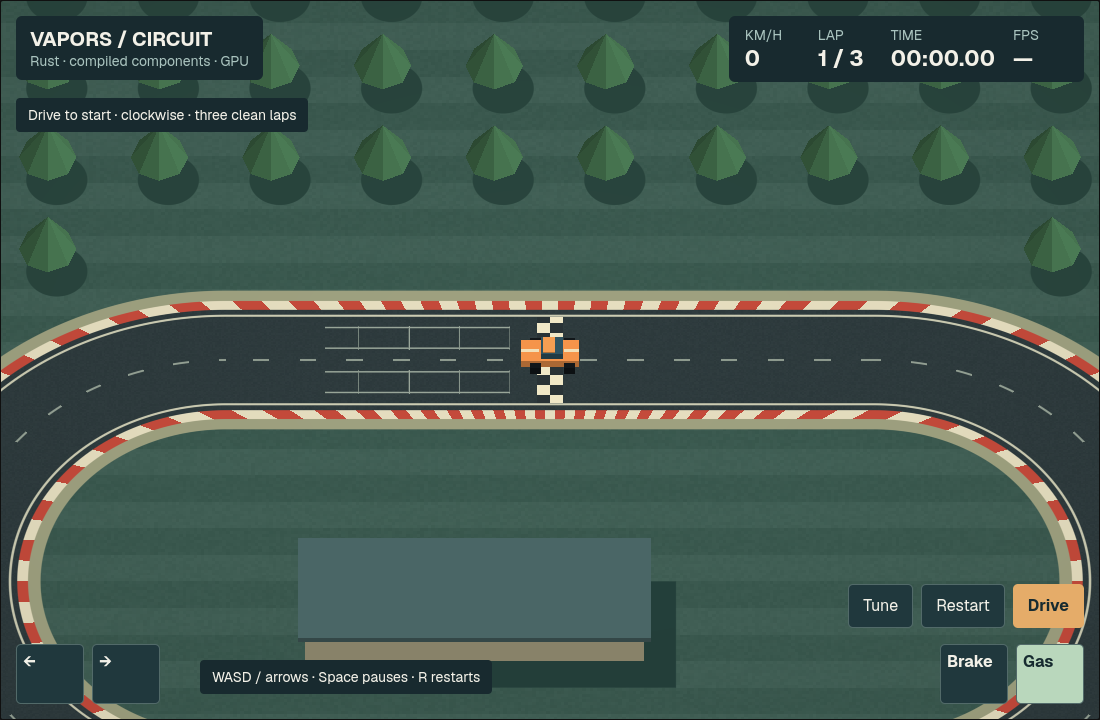
Drive a small circuit with the keyboard or touch controls. The camera widens as you accelerate.
Downloads the Rust/Wasm demo · WebGPU requiredA .wisp file holds Rust, CSS and an HTML template. The compiler
generates readable Rust.
<script>let count: Signal<i32> = Signal::new(0);let increment = move || count.update(|n| *n += 1);</script><style>:global(body) { display: flex; flex-direction: column; align-items: flex-start; gap: 12px; padding: 16px; }button { padding: 8px 12px; }</style><button onclick={increment}>Clicked {count} times</button>A signal is a piece of reactive state that tracks its dependants and notifies them when its value changes. Event handlers update signals with ordinary Rust closures.
Each component's style applies only to its own elements. Selectors, the cascade and computed values come from the vapors Rust CSS engine.
Expressions track their signals. A changed value patches the corresponding part of the tree.
vapors lays out compiled components and draws them in a native window and on a WebGPU canvas. The framework's demos run here in the browser, with source beside each example.
Read an introduction for your background, then follow the component course.
Templates compile into Rust. The runtime retains layout and drawing data so unaffected results can be reused after a change. An unchanged interface needs no continuous redraw loop. The performance page explains the work avoided, the work that remains, and how it is checked.
Examples, the component course and planned work.
Run component demos with their source, or open a photo in the image viewer.
Explore examples →LEARN ↗Run a component, change its state and styles, then compose an interface.
Start the course →PLANNED ↗Native mobile hosting, shared HTML/SVG/3D composition and browser editing. See what is available and what is coming soon.
See what is planned →Vapors' APIs and capabilities are still changing. Explore the current architecture and supported features.